Pelles C Install and Debug runtime Enviroment

RonWang4 years ago (2022-03-07)电子编程 COD21

C语言调试运行环境之TurboC一文介绍了在32位Windows系统下安装C语言运行环境之TubroC,但是由于TurobC只能在32位系统下运行,导致现在很多Windows10和Windows 11 64bit系统的用户无法使用它。本人使用的系统为Windows11,安装VC较为麻烦,所以本文将介绍一个在64位系统下运行和调试C语言的编译器Pelles C的安装和调试。

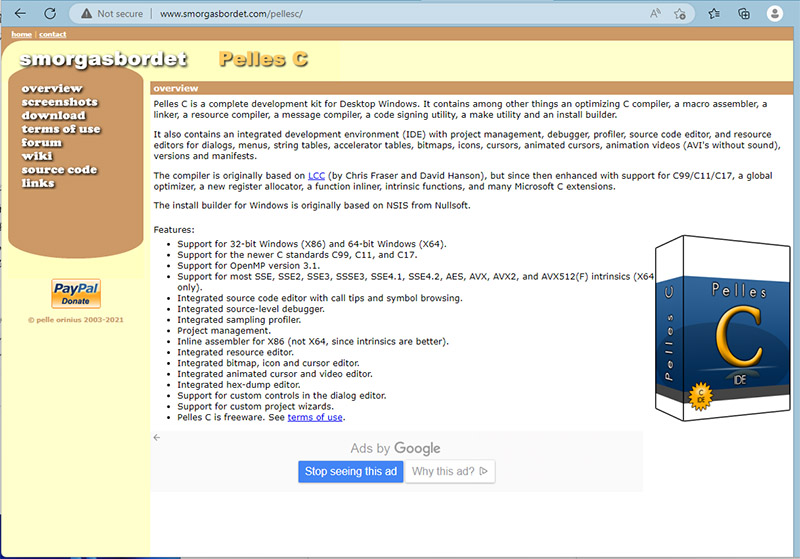
Pelles C 项目网站

Pellsc C 网址:http://www.smorgasbordet.com/pellesc/index.htm

点击左侧Download,进入上图所示界面,下载第一或第二个文件。 下面为语言包,下载后解压放入\Bin\Intl。但本人使用后乱码,便没有汉化。 安装步骤不多赘述。
Pelles C

编写并运行第一个程序

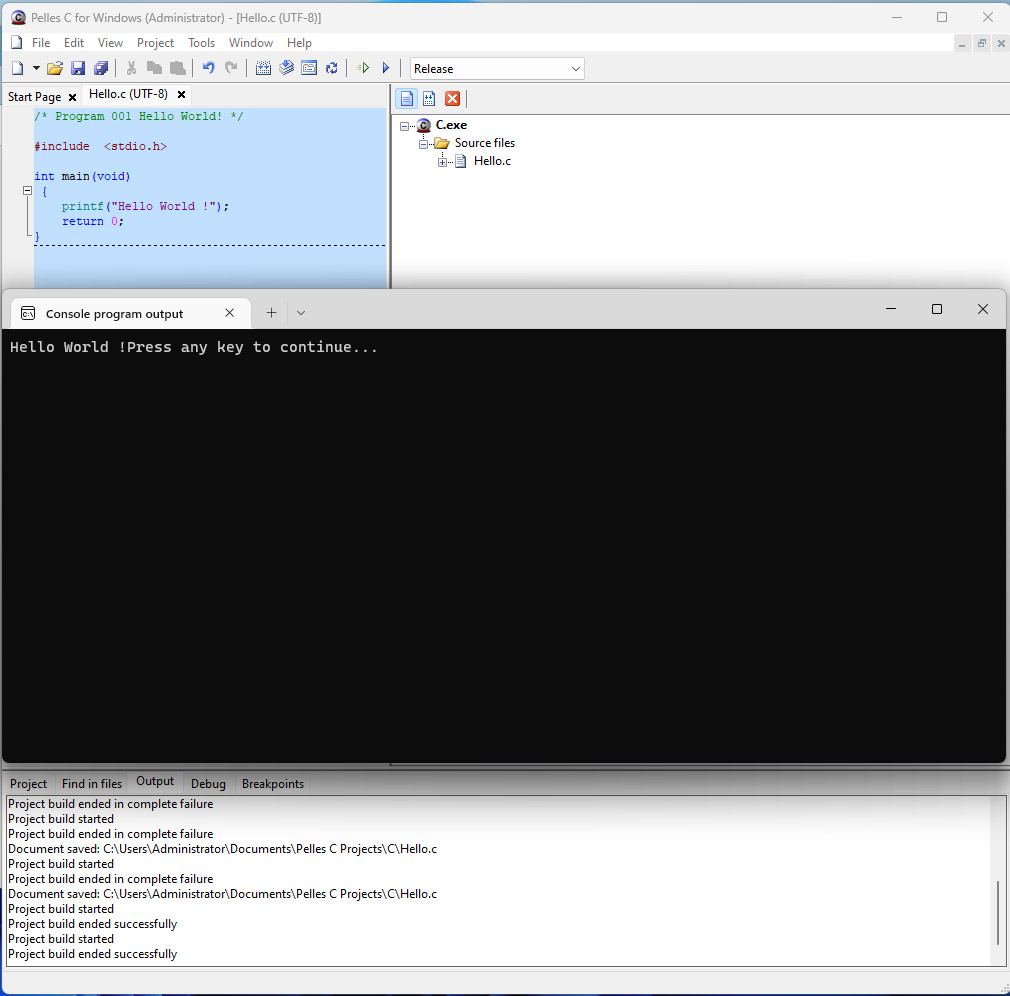
依次选择File->New->Project,之后选择win32(或64)console program。 再依次选择File->New->Source Code,输入代码并保存,软件会提示是否添加到工程,选择“是”。  

#include  <stdio.h>int main(void)
 { 
    printf("Hello World !"
    return 0;}

之后再Project菜单中,选择“build” ,在选择“execute”,即可运行程序。 
C


Share with Friends:

Related Articles

Mounting a Hard Drive on a CentOS Server

Mounting a Hard Drive on a CentOS Server

Centos服务器挂载硬盘1. 查看服务器上未挂载的磁盘(磁盘有普通磁盘,高效磁盘,SSD磁盘Bashfdisk -l…

Setting Up the Environment for Aliun Server

Setting Up the Environment for Aliun Server

阿里云服务器的环境搭建与调试从阿里云产品发布开始便一直在使用ECM云服务器,但是之前多使用的是Windows系统,后来摸索开始挑战自己使用CentOS系统,靠着几行程序和网上各位大咖的教程和分享,竟然…

CODE | 4 Digital 7 Segment Display - Arduino Project 033

CODE | 4 Digital 7 Segment Display - Arduino Project 033

Showing Heep and number 0-9 on a Common Anode 7-segment LED display. Displays the numbers 0-9 on the…

CODE | BMP280 Pressure Sensor LCD Display - Arduino Project 032

CODE | BMP280 Pressure Sensor LCD Display - Arduino Project 032

For this project we will use Arduino Uno and BMP280 along with LCD 16x2 display module to display te…

CODE | Simple Motor Control - Arduino Project 015

CODE | Simple Motor Control - Arduino Project 015

First, you’re going to simply control the speed of a DC motor in one direction, using a power transi…

CODE | Dot Matrix Display Beat Heart - Valentine's Day Gift

CODE | Dot Matrix Display Beat Heart - Valentine's Day Gift

You’re going to use the Project 19 circuit, but with a slight variation in the code to create a mult…

Post a Comment

Anonymous

Feel free to share your thoughts and opinions here.