CODE | IR Remote Control - Arduino Project 049
Got it — you’re looking into using an infrared (IR) sensor with an IR remote on Arduino. Let’s break it down so it’s simple and practical.
🔹 How It Works
IR Remote sends pulses of infrared light (invisible to the eye) encoded with data.
IR Receiver Module (like VS1838B or TSOP38238) detects these pulses and sends them to Arduino as a digital signal.
Arduino decodes the signal into a unique code for each button press.
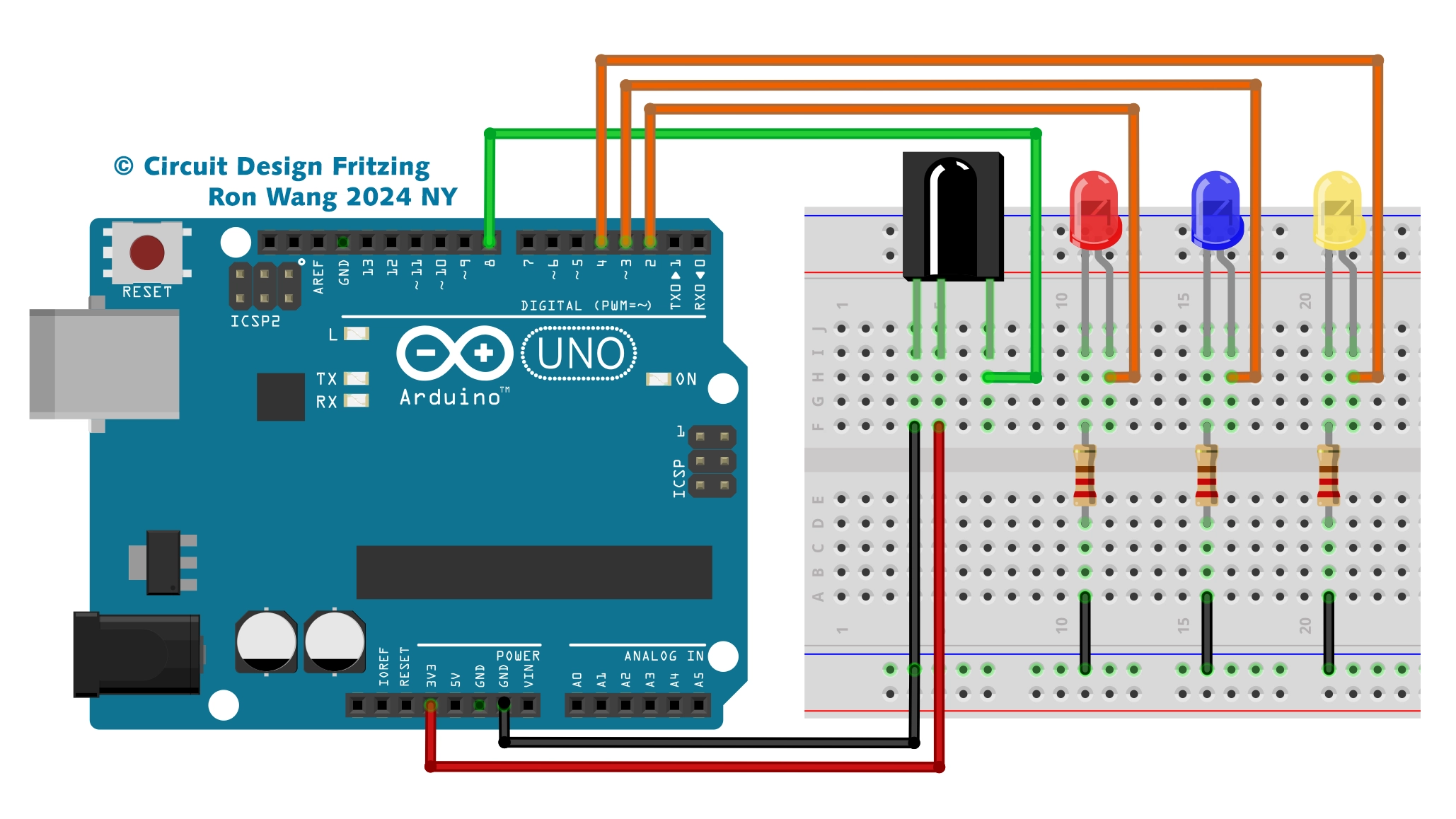
🔹 Basic Wiring
For a typical 3-pin IR receiver:
OUT → Arduino digital pin (e.g., D2)
VCC → 5V
GND → GND
Project 49 IR Remote Control
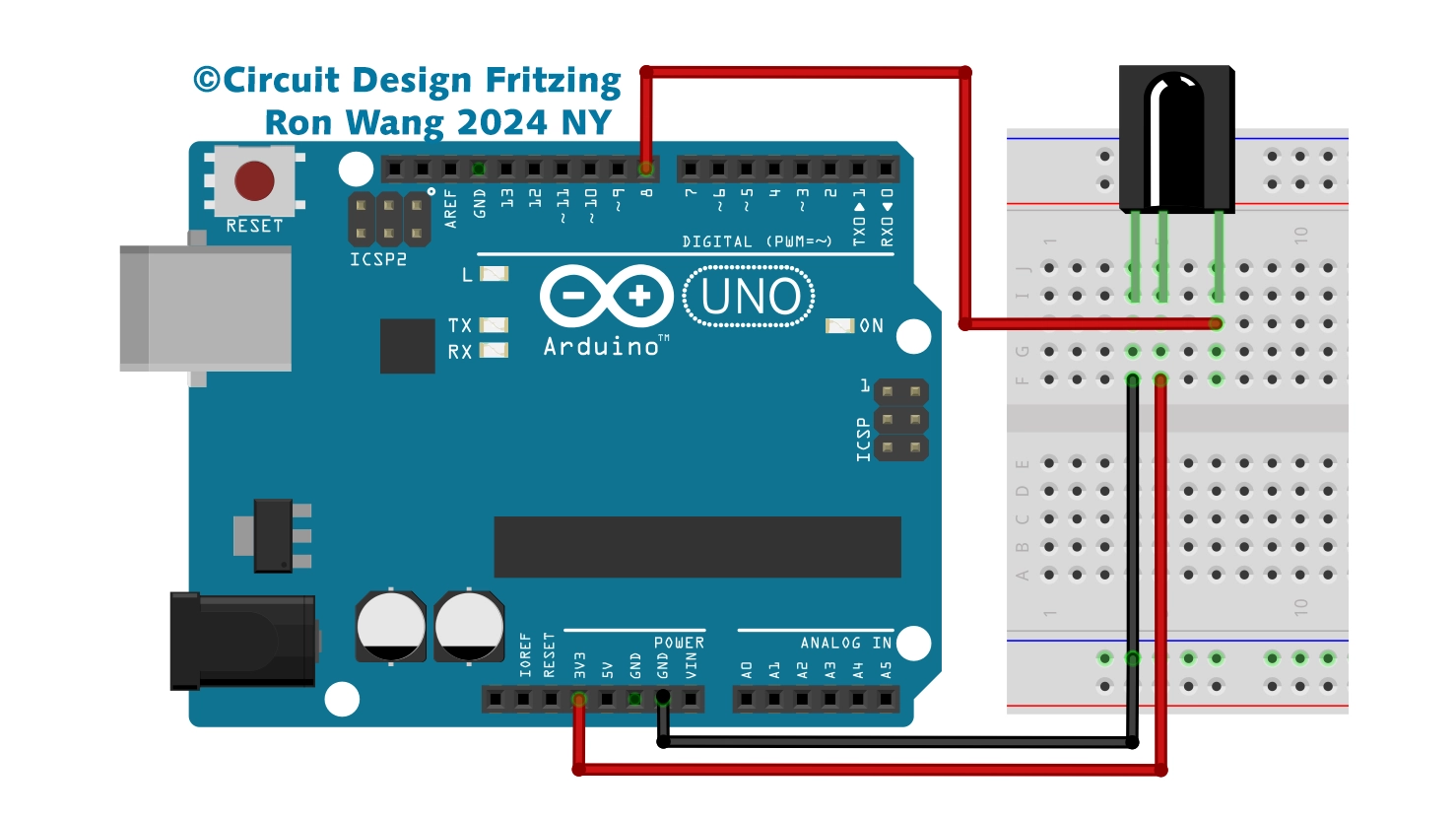
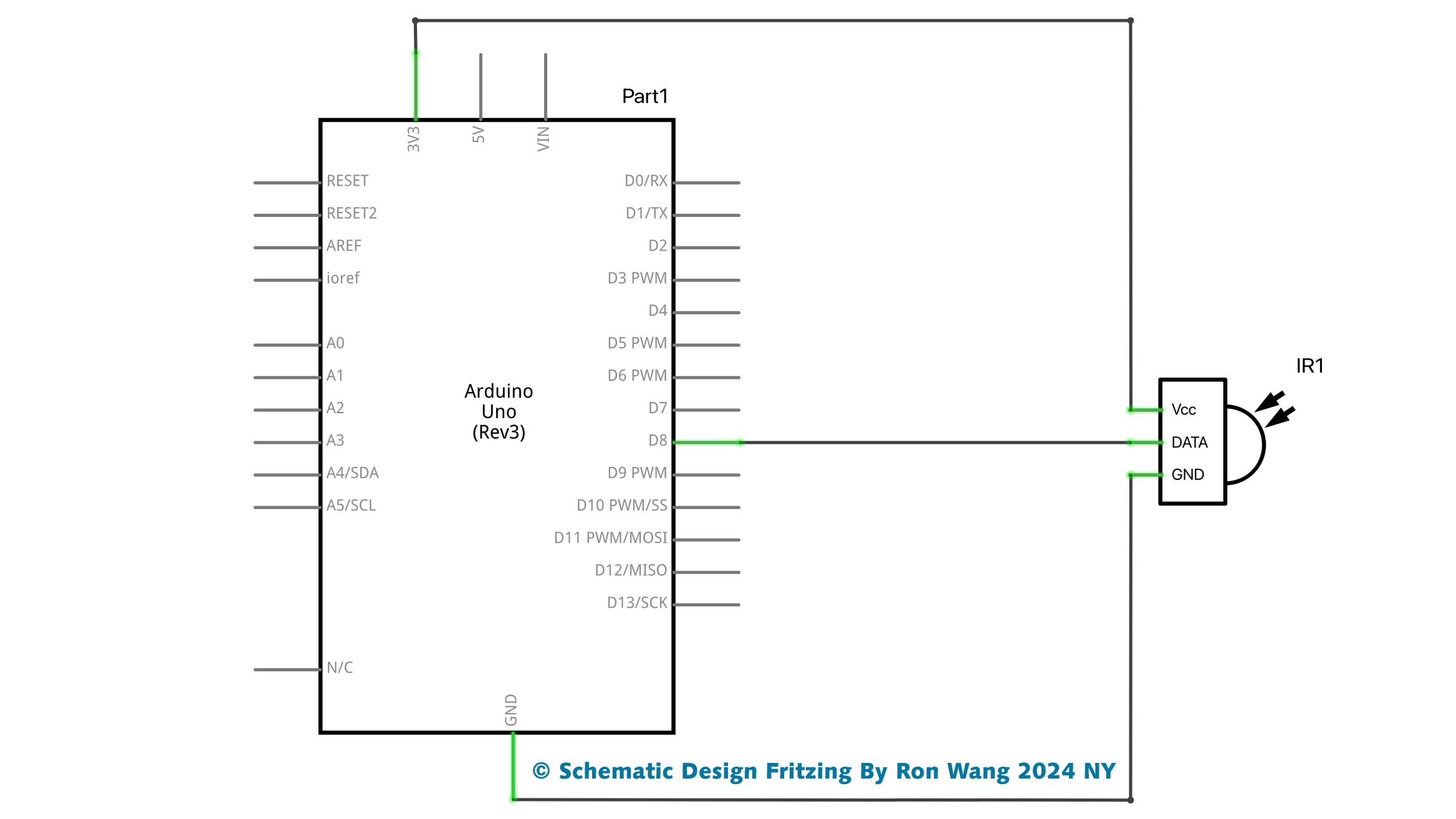
/* Project 49 IR Remote Control
 * Coding by Ronwang
 * This example code is in the public domain
 * Hardware Support by Autaba Website :https://www.autabaec.com
 */
#include <DIYables_IRcontroller.h> // Added DIYables_IRcontroller library
#define IR_RECEIVER_PIN 8 // The Arduino pin connected to IR controller
DIYables_IRcontroller_17 irController(IR_RECEIVER_PIN, 200); // debounce time is 200ms
void setup() {
  Serial.begin(9600);
  irController.begin();
}
void loop() {
  Key17 key = irController.getKey();
  if (key != Key17::NONE) {
    switch (key) {
      case Key17::KEY_1:
        Serial.println("1");
        // TODO: YOUR CONTROL
        break;
      case Key17::KEY_2:
        Serial.println("2");
        // TODO: YOUR CONTROL
        break;
      case Key17::KEY_3:
        Serial.println("3");
        // TODO: YOUR CONTROL
        break;
      case Key17::KEY_4:
        Serial.println("4");
        // TODO: YOUR CONTROL
        break;
      case Key17::KEY_5:
        Serial.println("5");
        // TODO: YOUR CONTROL
        break;
      case Key17::KEY_6:
        Serial.println("6");
        // TODO: YOUR CONTROL
        break;
      case Key17::KEY_7:
        Serial.println("7");
        // TODO: YOUR CONTROL
        break;
      case Key17::KEY_8:
        Serial.println("8");
        // TODO: YOUR CONTROL
        break;
      case Key17::KEY_9:
        Serial.println("9");
        // TODO: YOUR CONTROL
        break;
      case Key17::KEY_STAR:
        Serial.println("*");
        // TODO: YOUR CONTROL
        break;
      case Key17::KEY_0:
        Serial.println("0");
        // TODO: YOUR CONTROL
        break;
      case Key17::KEY_SHARP:
        Serial.println("#");
        // TODO: YOUR CONTROL
        break;
      case Key17::KEY_UP:
        Serial.println("UP");
        // TODO: YOUR CONTROL
        break;
      case Key17::KEY_DOWN:
        Serial.println("DOWN");
        // TODO: YOUR CONTROL
        break;
      case Key17::KEY_LEFT:
        Serial.println("LEFT");
        // TODO: YOUR CONTROL
        break;
      case Key17::KEY_RIGHT:
        Serial.println("RIGHT");
        // TODO: YOUR CONTROL
        break;
      case Key17::KEY_OK :
        Serial.println("OK");
        // TODO: YOUR CONTROL
        break;
      default:
        Serial.println("WARNING: undefined key:");
        break;
    }
  }
}