CODE | Serial Monitor - Arduino Programming Basic
Arduino 程序基础,介绍Arduino程序的基本组成,第一部分编写数个例程,讲解关于变量及变量名称,串口监视器,if循环,for循环,while循环等。第二部分介绍了函数,全局变量,局部变量和静态变量,数据类型,Bollean运算,注释语句等。
Serial Monitor 串口监视器
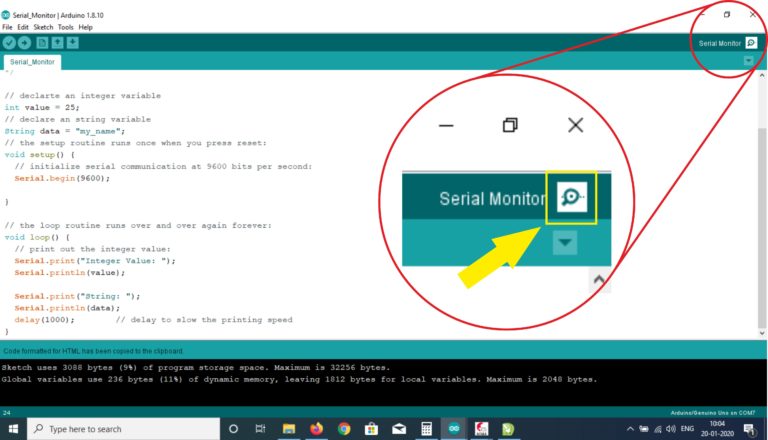
串口监视器 Serial.println 1-5
void setup() {
  // put your setup code here, to run once:
  Serial.begin(9600);
  Serial.println(1234);
}

void loop() {
  // put your main code here, to run repeatedly:

}
串口显示一个运算的结果 1-6
void setup() {
  // put your setup code here, to run once:
  Serial.begin(9600);
  int a=2;
  int b=4;
  int c= a+b;
  Serial.println(c);

}

void loop() {
  // put your main code here, to run repeatedly:

}
串口显示一个摄氏度转换华氏度的运算结果 1-7
void setup() {
  // put your setup code here, to run once:
  Serial.begin(9600);
  int degC=20;
  int degF;
  degF=degC*9/5 + 32;
  Serial.println(degF);

}

void loop() {
  // put your main code here, to run repeatedly:

}
if 条件语句 1-8
int ledPin=13;
int delayPeriod =100;
void setup()
{
pinMode(ledPin,OUTPUT);
}
void loop()
{
  digitalWrite(ledPin,HIGH);
  delay(delayPeriod);
  digitalWrite(ledPin,LOW);
  delay(delayPeriod);
  delayPeriod =delayPeriod +100 ;
  if (delayPeriod>3000);
  {
  delayPeriod =100;
  }
}
For 循环语句例子 1-9
int ledPin=13;
int delayPeriod =100;
void setup()
{
pinMode(ledPin,OUTPUT);
}
void loop()
{
   for (int i=0; i<20;i++)
    {
      digitalWrite(ledPin,HIGH);
      delay(delayPeriod);
      digitalWrite(ledPin,LOW);
      delay(delayPeriod);
      }
      delay(3000);
}
这个程序的缺点是loop函数会运行较长的时间,处理器会被for循环语句占用,别的进程就无法调用处理,所以改进算法是尽可能快的让loop函数执行完,把进程空出来处理别的程序。
改进算法 1-9a
int ledPin=13;
int delayPeriod =100;
int count = 0;
void setup()
{
  pinMode(ledPin,OUTPUT);
}
void loop()
{
      digitalWrite(ledPin,HIGH);
      delay(delayPeriod);
      digitalWrite(ledPin,LOW);
      delay(delayPeriod);
      count++ ;
      if (count == 20)
      {
        count = 0;
        delay(3000);
       }
}
While 循环 1-10
int ledPin=13;
int delayPeriod =100;
void setup()
{
pinMode(ledPin,OUTPUT);
}
void loop()
{
  int i=0;
  while(i<20)
   {
      digitalWrite(ledPin,HIGH);
      delay(delayPeriod);
      digitalWrite(ledPin,LOW);
      delay(delayPeriod);
      i++ ;
    }
  delay(3000);
}